
Free tool
Disavow File Generator
Paste spam URLs, domains or rows from a backlink export and get a clean disavow file in Google's format, ready to upload.
Your disavow file
How to use the disavow file generator
- Paste the links you want to disavow: full URLs, bare domains, an existing disavow file, or rows copied from a backlink export (the generator picks the URL out of each CSV row).
- Add the domains you never want to disavow, such as your own sites, real partners and press. Their subdomains are protected too.
- Choose whole domains (recommended for spam) or individual URLs.
- Download
disavow.txtand upload it in Google’s disavow links tool for a URL-prefix property.
The file is de-duplicated and sorted, URLs on a domain you disavow whole are dropped as redundant, and the generator warns you if the file breaks Google’s limits.
Before you disavow anything
Google calls the disavow tool an advanced feature to use with caution, and recommends it mainly when a large number of spammy or low-quality links have caused, or are likely to cause, a manual action. Most sites never need it.
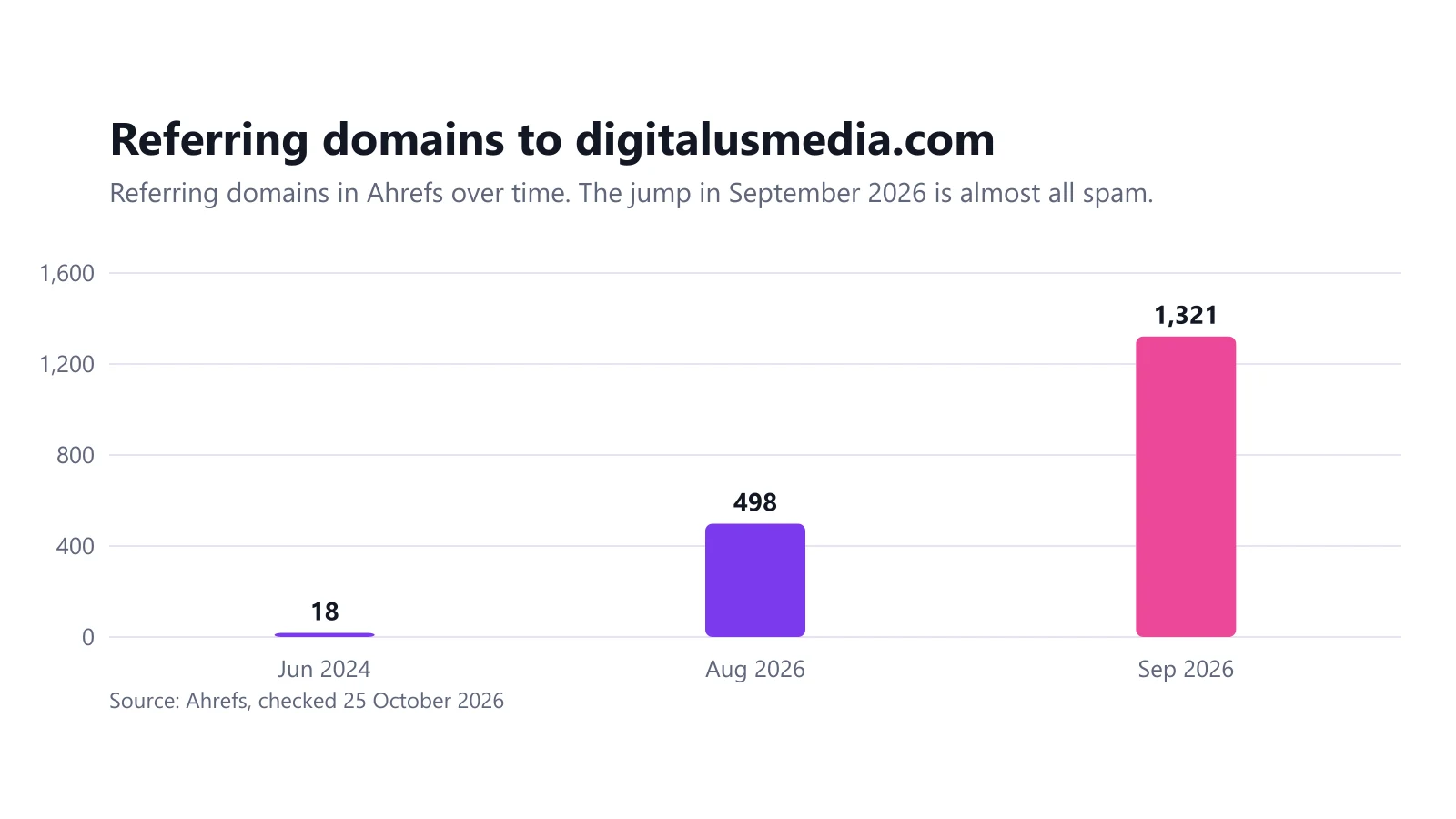
We needed it ourselves: when a wave of spam links hit this site, our negative SEO attack case study documents how we found the spam and built a 1,198-domain disavow file.
Frequently asked questions
Should I disavow URLs or whole domains?
For spam sites, link networks and scraper sites, disavow the whole domain with domain: so every current and future link from it is covered, including subdomains. Disavow single URLs only when the rest of the site is a legitimate source you want to keep.
What format does Google's disavow file need?
A .txt file encoded in UTF-8 or 7-bit ASCII, with one URL or domain: entry per line. Lines starting with # are comments. The file can have at most 100,000 lines and 2 MB, and URLs can be up to 2,048 characters.
Can I upload a disavow file to a Domain property in Search Console?
No. Google's disavow tool doesn't support Domain properties. Add and verify a URL-prefix property, such as https://example.com/, and upload the file there.
Does uploading a new disavow file replace the old one?
Yes. Each upload replaces the previous list completely, so always upload the full list. Paste your existing file into this generator together with the new links to merge them.
Is anything I paste sent to DigitalUs Media?
No. The generator runs entirely in your browser. The links and domains you paste are not uploaded or stored.
Related guides
Link Building and Negative SEO
Our Site Was Hit by a Negative SEO Attack: 1,198 Spam Domains and a 98% Drop in Impressions
In September 2026 our own site went from 498 to 1,321 referring domains, and Google impressions fell from 1,393 to 24. Here is the data and what we did.
6 min read
Free SEO Tools
Four free tools for international and technical SEO. They run entirely in your browser: nothing you enter is sent to us.
2 min read